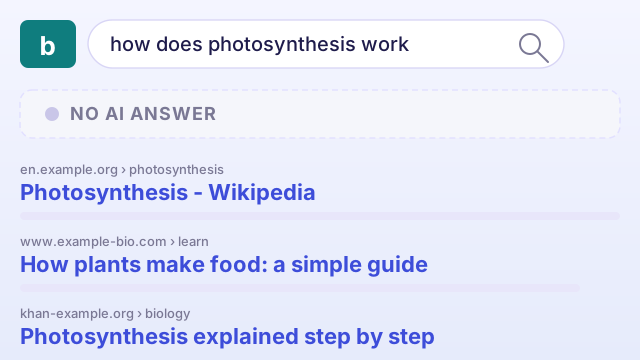
A regular Bing search
A list of blue links — somewhere, maybe, an AI answer.
Ask a question, get back ten results. The AI answer panel might exist on the page, but you have to look for it.

Quick AI Search takes you straight to Bing’s AI-powered answer panel — the summary, the insights, the sources — without scrolling past a list of links.
@qai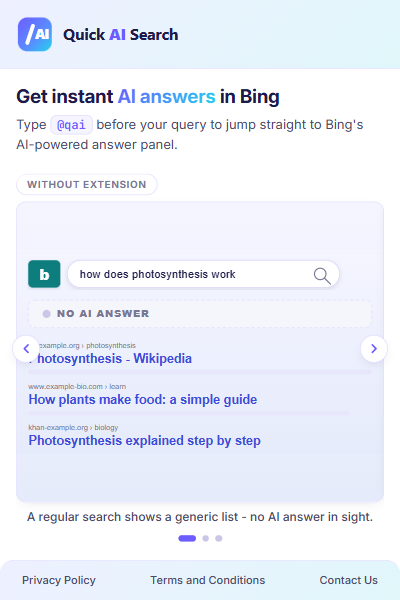
How it works
Three states. Same search. The middle one is what changes everything.
A regular Bing search
Ask a question, get back ten results. The AI answer panel might exist on the page, but you have to look for it.
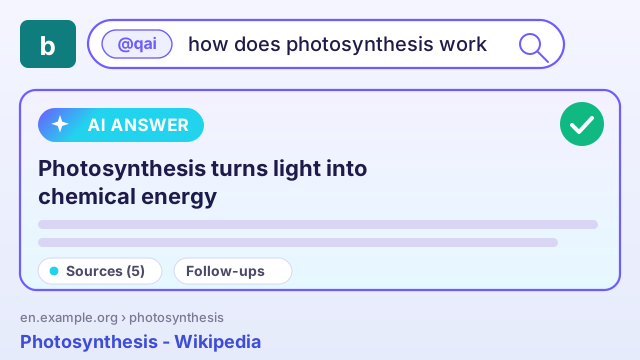
Type the keyword
Lead with @qai in front of any query. That’s the whole gesture — no menus, no settings page.
The AI answer, surfaced
Quick AI Search takes you straight to Bing’s AI-powered answer experience — right where you expected to scan results.
Built for fast questions
Four reasons Quick AI Search stays out of your way and gets you to the answer faster.
Skip the result list. Land on Bing’s AI answer panel for queries that have one.
No menus, no settings page, no tabs to switch — just @qai in front.
Sits inside your normal search flow. No new tab, no full-screen UI, no popup hijack.
Made for fast discovery — how, why, what-if questions where a summary beats ten links.
Quick AI Search is one keyword and one click. Add it to Chrome and try @qai on your next question.